
The operating system for your entire practice.
Natkiva is a Medical Practice Operating System. It is not another EMR or CRM. It is one system that runs the whole practice: the chart, scheduling, phones, texting, payments, HR and marketing work together around one record of each patient.
Designed by a physician who still owns and runs the clinic it is built in: R2 Medical Clinic, Denver.
Works with the accounts the clinic already has.
- Google Workspace
- Microsoft 365
- Outlook
- Google Calendar
- Apple Calendar
- Google Business Profile
- Google Analytics
- Google Ads
- Meta lead ads
One system, not five.
Most clinics run five systems from five vendors: a chart, a scheduler, a phone system, a texting tool and a payment terminal, with five logins and five copies of each patient. Natkiva is those five things as one system with one record of each patient. What disappears is the work between them.
- Nothing is re-keyed from one screen into another.
- Nobody checks three places to answer one question.
- Every part of the clinic reads from the same record and writes to it.
- A chart
- A scheduler
- A phone system
- A texting tool
- A payment terminal
Follow one call through the practice.
A patient calls to move an appointment. Here is everything that happens, and who does it.
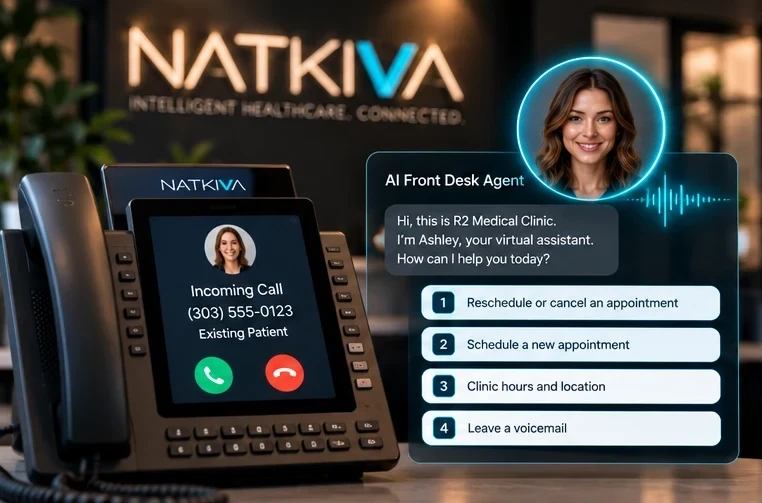
- The patient calls while the desk is busy.Rather than wait, they choose the clinic’s optional External AI Agent (Sophie, at R2 Medical Clinic), which already has their record.
- The patient asks to move Thursday’s visit.Sophie finds the visit and offers only times that are really open for that provider at that location.
- The patient picks one.The appointment moves on the calendar: the same calendar the front desk is looking at.
- A confirmation text goes out.The patient has the new time in writing before the call is over.
- The call and the change land on the record.The recording, the write-up and the new time, where the next person to open the chart will see them.
- The desk stayed free for the calls that need a person.No second application, no re-typing, no sticky note, and no extra staff hired to keep up.
The same is true of checking a patient in, charting a visit, collecting a payment, reviewing labs and following up a missed visit. Natkiva is the steps you stop doing. See each part
Everything the practice runs on, in one place.
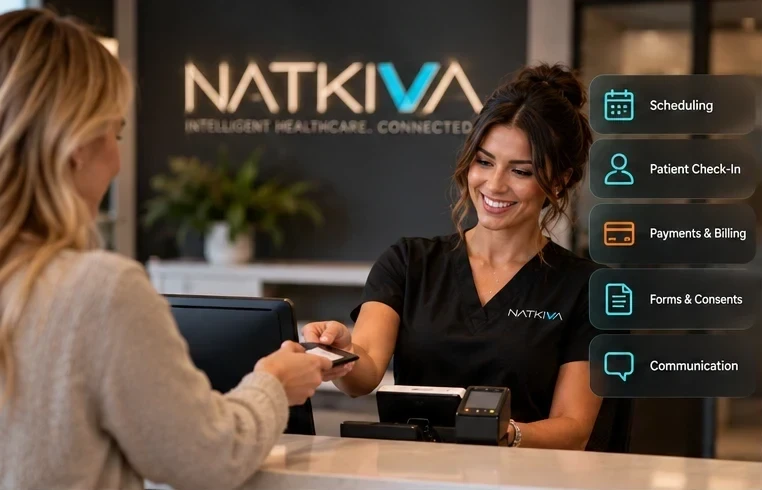
From the first call to the final payment, every step of the patient’s visit runs in one application.
Check-in in a few clicks.
The patient is checked in from the calendar, with their chart, forms and balance right there.
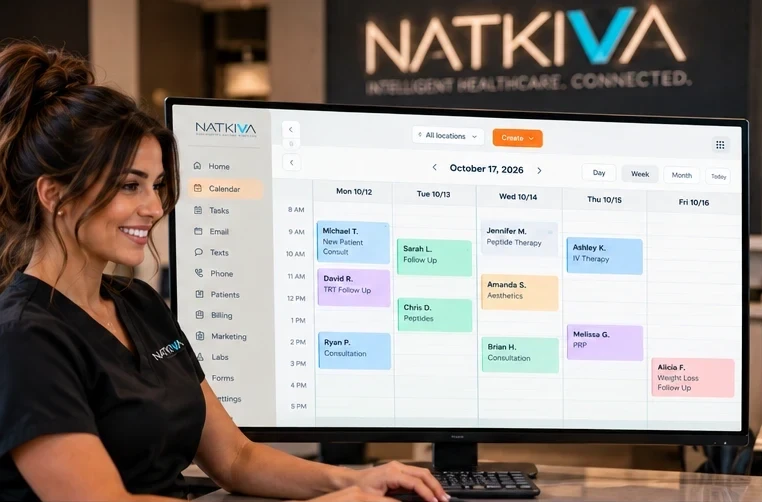
Scheduling that follows your rules.
Every provider, room and location on one calendar. Each provider’s hours and locations are respected, and reminders go out on their own.
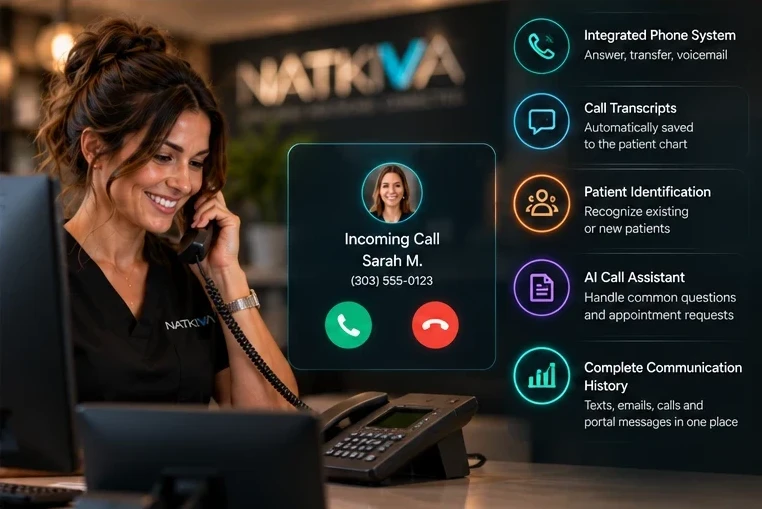
Phones and texting, built in.
Calls ring in the app with the patient’s record already open. HIPAA-compliant texting, and every text and voicemail lands on the patient’s record.
The whole chart, laid out in detail.
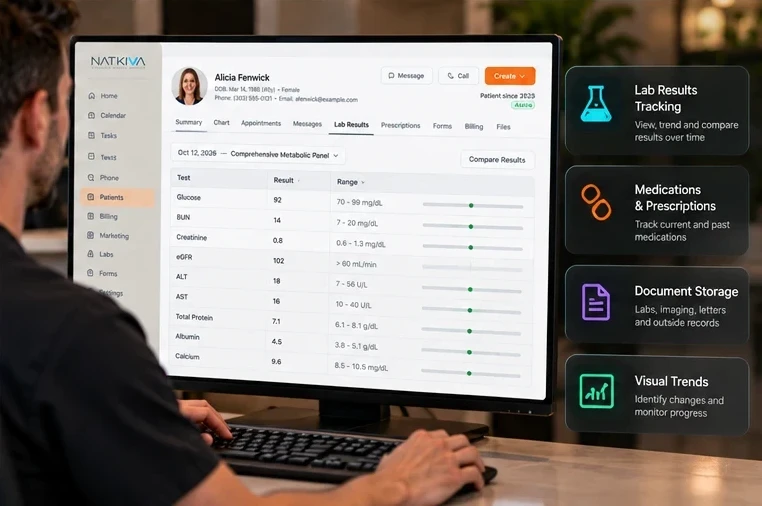
Notes, labs, medications, documents, forms, appointments and invoices on one page the clinic arranges. Signed notes are locked.
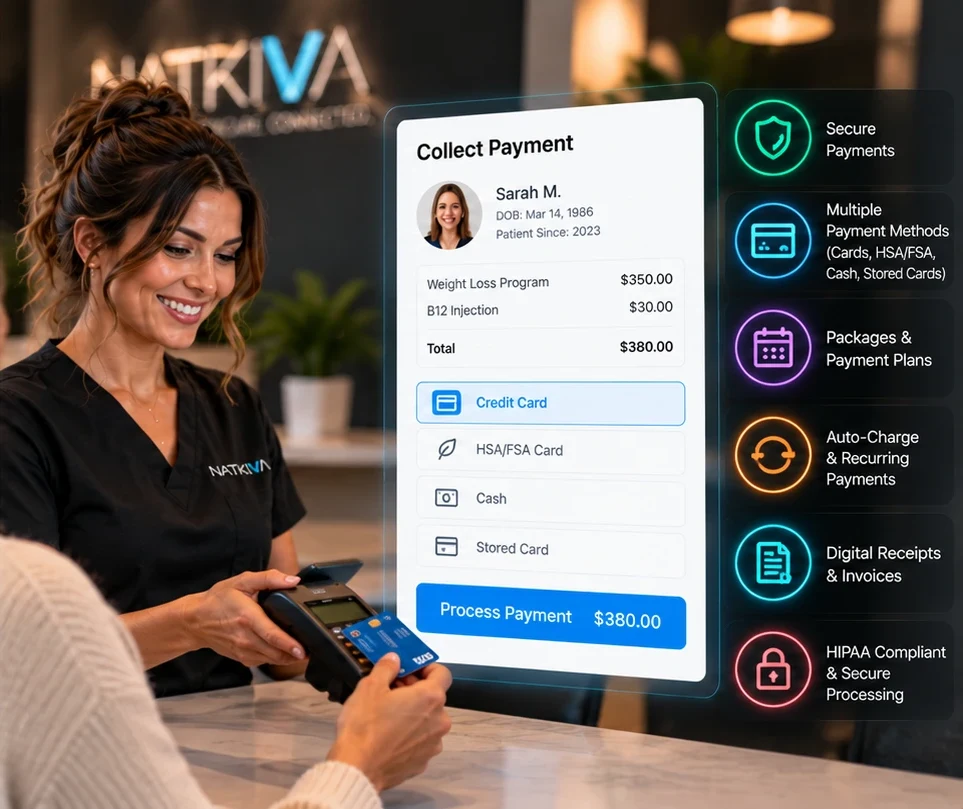
Payment where the visit happens.
Card on file, a text-to-pay link, invoices and monthly payment plans, with every payment posted to the patient’s record.
The practice in your pocket.
The mobile app keeps staff connected on the go or working from home: take calls, answer messages, check the schedule and open a chart from a phone.

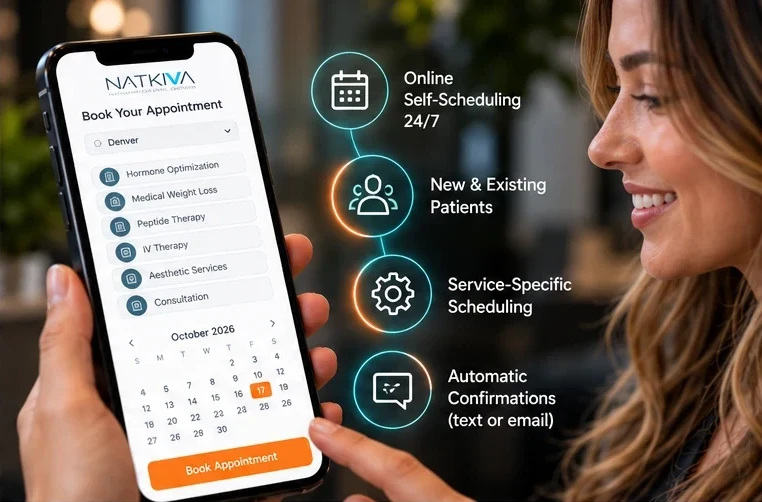
Patients book themselves, any hour.
Online in the patient portal, from a private link in a text or, where the clinic offers it, with its External AI Agent. Always on the real schedule and the clinic’s rules, and one less call for the desk.
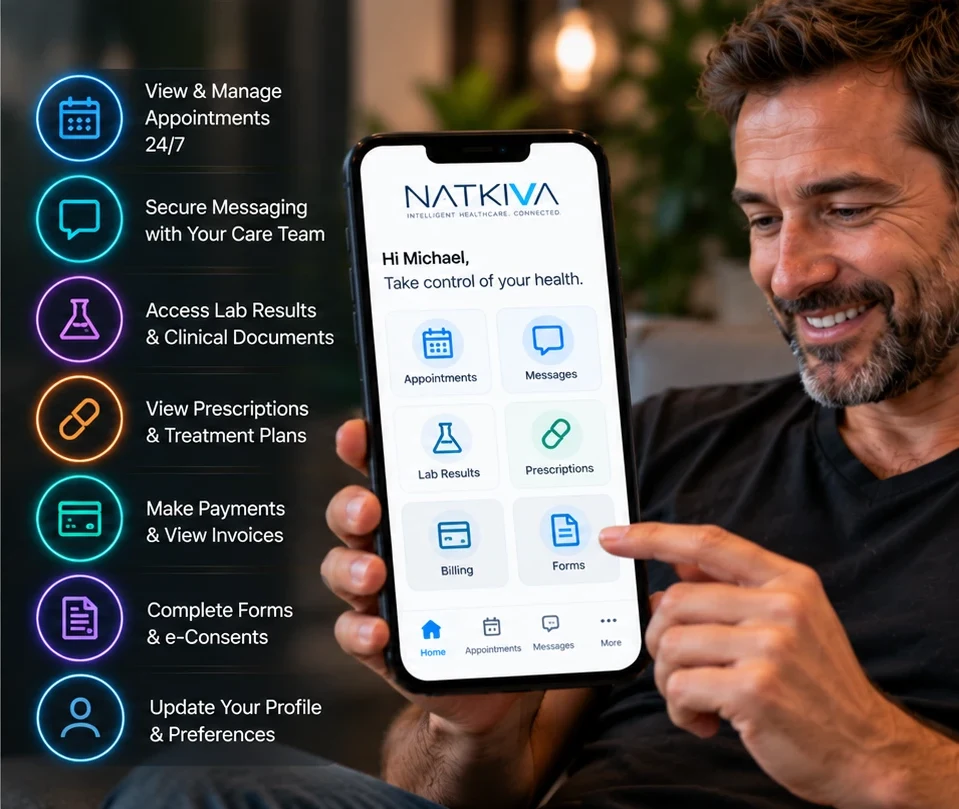
A portal that keeps patients connected.
Upcoming and past visits, booking and changes, invoices and payments, shared documents and lab results, and HIPAA-compliant messaging with their providers in place of email.
Inquiry. Booking. Visit.
The status moves from New lead to booked to patient; the source stays with the record.
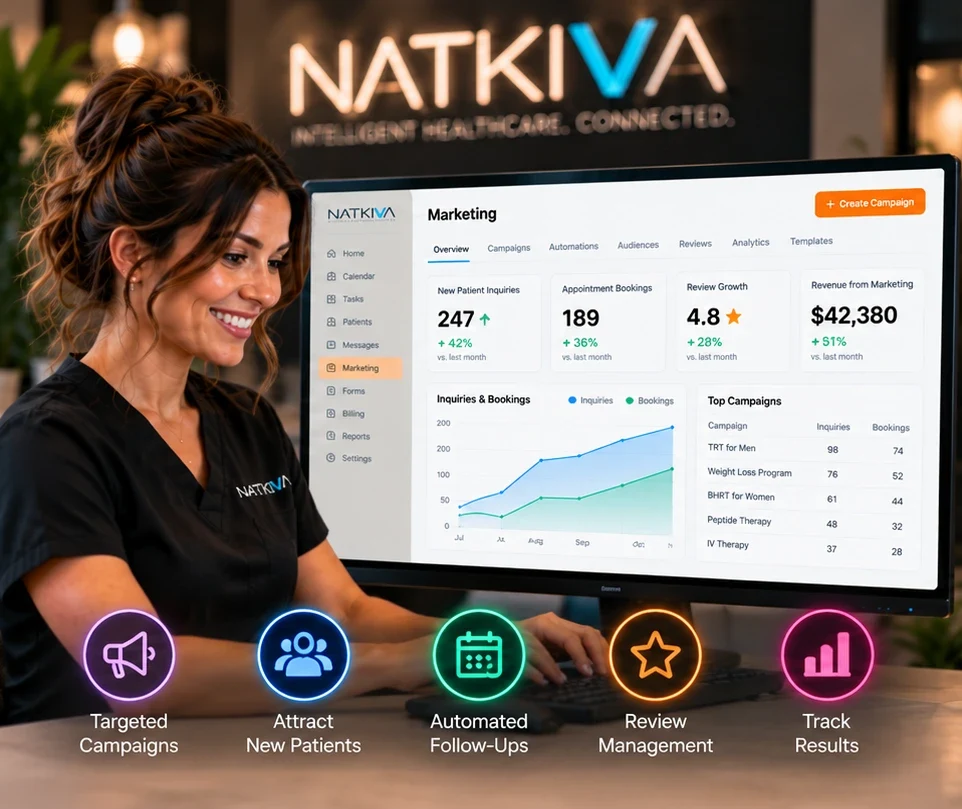
A lead on the record it will keep.
A new inquiry from the website, a Meta lead ad, a phone call or a walk-in starts as a lead.
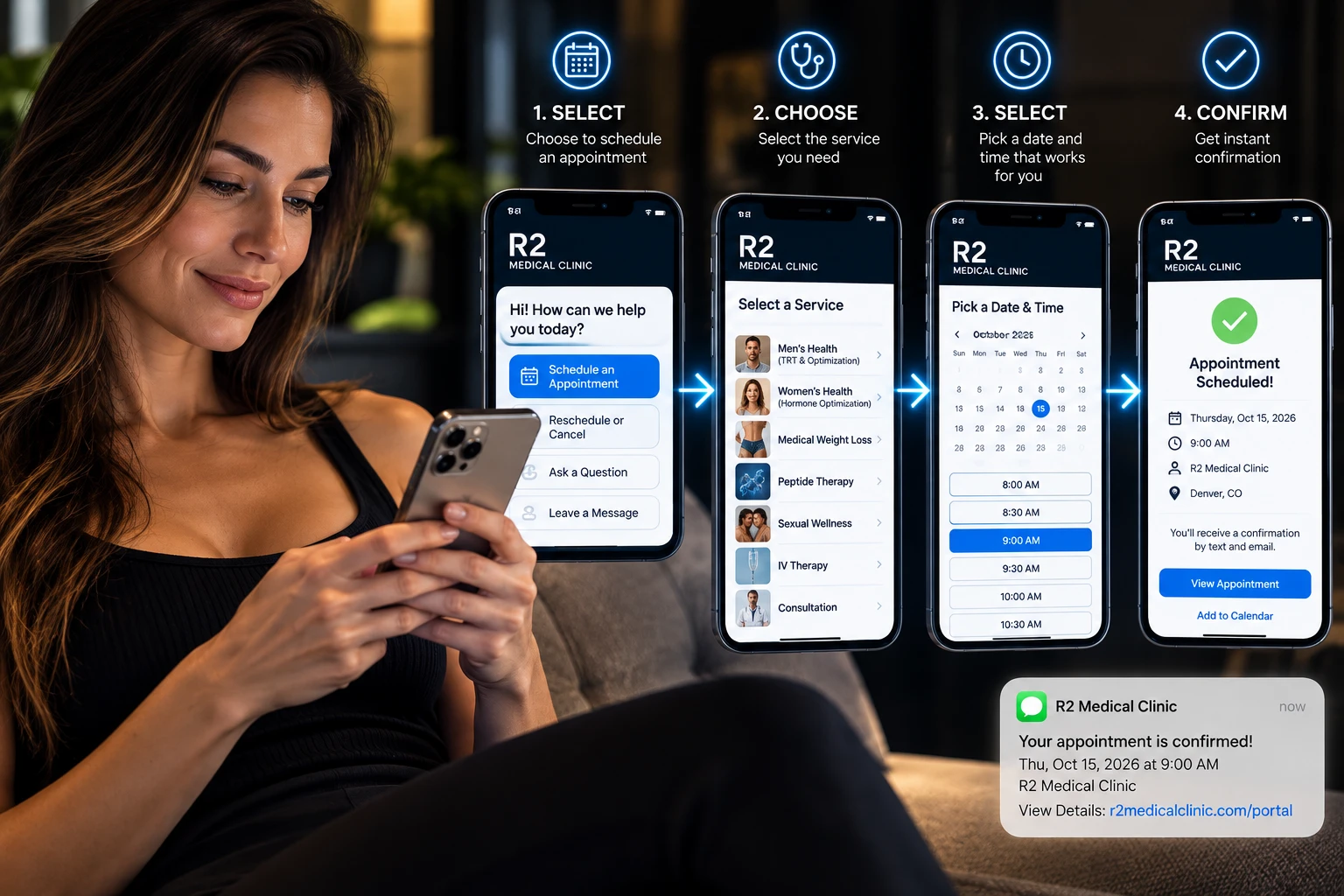
Booked on the real schedule.
Checked against the provider’s schedule, the location’s hours and the notice the kind of visit needs. Reminders go out on the clinic’s rules.
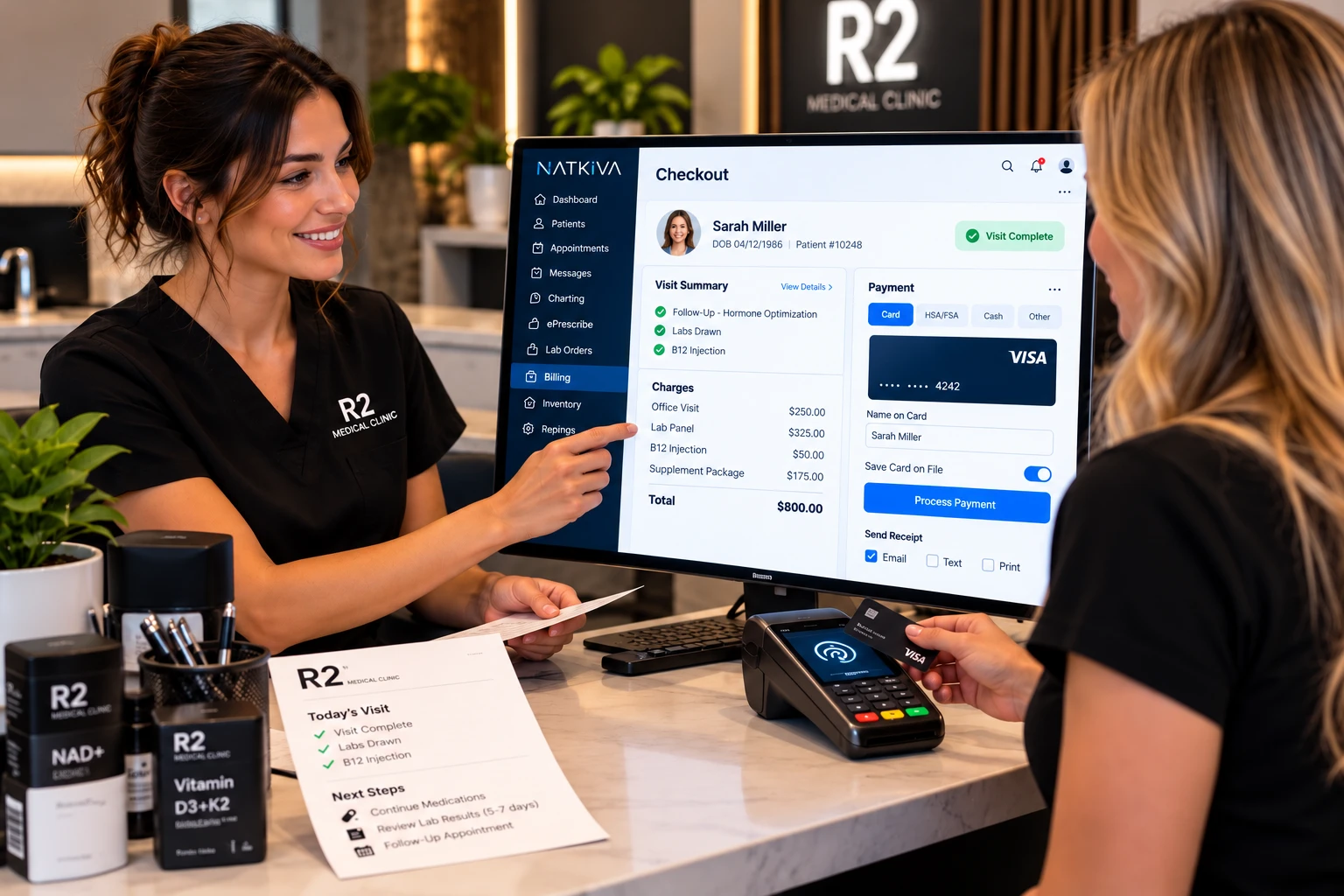
Checked in, charted, paid.
Check-in happens on the calendar, the note is signed, and the payment posts to the patient’s record.
Two optional AI agents that help your people, not replace them.
One gives patients another way to handle their appointments, so the front desk has fewer routine calls. One helps staff inside the app. Each has its own limits and its own audit trail, and each clinic names its own: at R2 Medical Clinic they are Sophie and Winston.
Sophie, the External AI Agent (optional)
- An adjunct to your receptionist, never a replacement.
- Patients may choose her, by phone or text, to book, move or cancel an appointment on the real schedule.
- Every patient who does is one less call waiting, so staff have time for the calls that need a person.
- Appointments only. Never shares patient information, and hands over when a patient wants a person.
Winston, the Internal AI Agent
- “How do I…?” answered from the real screens.
- “How many…?” reports, by the asker’s own permissions.
- Patient lists for follow-up and mailings.
- Sees only what that staff member can see.
Automation for the routine. Nothing enters the chart without a signature.
Different roles. One record.
Every person signs in with their own account and a role. Each screen, action and database row follows the role. Every view and change is in the audit log. How patient information is protected.
Receptionists
- Check in patients
- Schedule
- Answer calls
- Manage messages
Medical assistants
- Chart updates
- Tasks and follow-up
- Intake forms
- Medication labels and dispensing
Providers
- Chart and document
- Review results
- Sign orders
- Manage treatment
HR
- Staff and roles
- Time clock and time off
- Handbook and signatures
- Employee records
Patients
- Patient portal
- Book or cancel
- Online payment
- Intake forms
 PatientsBook, confirm and pay by text, without a phone call.ProvidersThe whole chart, the messages and the forms in one place.
 ManagersLeads, visits and payments on one screen.
Add only what you need.
Every clinic starts with the core. The rest are modules, switched on when the clinic wants them.
The Natkiva core
- Patients and charts
- Signed notes
- Dictation: speak and your words are typed
- Calendar
- Tasks
- Invoices
- Forms and documents
- Permissions by role
- Full audit trail
- Phone systemDesk, computer and iPhone phones, with the caller’s record open.
- TextingTwo-way texts with consent, on the patient’s record.
- Patient portalAnd secure messaging.
- Card paymentsCard on file and pay-by-text links.
- LabsAI reads the lab report for review.
- InventoryMedications and stock, lots and expiration dates.
- InsuranceCoding and superbills.
- Email syncGmail and Microsoft 365.
- HRTime clock, sick time and time off.
- MarketingReviews, leads and ad results.
- Website lead captureInquiries straight onto the lead list.
Your data stays yours.
- Each clinic has its own private database.
- Card numbers never touch our system.
- No ad trackers on any page that holds patient information.
- The AI agents run under HIPAA agreements: Amazon and Microsoft sign them for the AI and speech we use.
Always on.
- A main site and a backup site, with every change copied live.
- If the main site goes down, the system moves to the backup site on its own.
- Two phone servers back each other up.
- Nightly backups, plus restore to any minute.
Switching is the hard part. It is done with you.
Most clinics do not love their system. Most still keep it, because moving records, retraining staff and risking a bad week feels worse. So the move is part of what Natkiva is, not something left to the clinic.
Your records come with you
Patient records, forms, the schedule and open balances are brought into Natkiva and checked with you, patient by patient where it matters, before anyone goes live.
Run both until you are ready
Natkiva can run alongside the system you have today while your staff learn it on real days. The old system is switched off when you say so, not before.
One person owns your go-live
Each clinic gets one named person at Natkiva responsible for the move: setup, training, the first day and the first weeks.
What is promised is a plan, not a flawless day: what moves, what is tested before go-live, and what happens if the clinic is not ready. Ask about moving your clinic.
Where medicine meets technology
Built by a physician and a software engineer inside R2 Medical Clinic in Denver, Colorado, where it is designed and tested. Not software from a physician who once practiced: software from a physician who still owns and runs the kind of practice it is built for, and lives with every decision in it.
A few details, made simple.
Anything else: admin@natkiva.com
What is Natkiva?
Natkiva is a Medical Practice Operating System: one system that runs the whole practice. It takes the place of the separate EMR, CRM, phone system, texting tool and payment terminal most clinics run, with the chart, scheduling, phones, texting, payments, HR and marketing working together around one record of each patient.
Who is it for?
Independent medical clinics, from one location to several, that want one application to run the practice: the chart, scheduling, the phones and payments in one system instead of five.
Who uses it today?
It is in active development. R2 Medical Clinic in Denver is its first clinic: the clinic’s staff help design and test it, and R2 will be the first clinic to run on it.
What will the External AI Agent not do?
It is optional, an adjunct to the receptionist rather than a replacement, and it talks about appointments only. It is set up not to read anything from the chart to a caller or answer medical questions, and to say so plainly when asked. When a patient wants a person, it hands over.
How is patient data protected?
Each clinic’s data lives in its own database on Amazon Web Services (AWS) in the United States, under a Business Associate Agreement. Roles decide who can read or change which rows, in the app and in the database itself. Nothing is shared with any other clinic.
Do patients need an app?
No. Patients book, reschedule and cancel from a private link in a text (no login), from the patient portal, or, where the clinic offers it, through the optional External AI Agent by text or phone.
Which email accounts connect?
Google Workspace, Microsoft 365 and other standard mailboxes connect in a few clicks, and mail from a patient shows on their record.
How is it priced?
One subscription covers the core: the chart, scheduling, leads and follow-up. Phones, texting, the AI agents and other modules are switched on for each clinic as it needs them, and texts, call minutes and AI conversations are priced by use. Get in touch for details.
Can staff see the calendar on their phone?
Each person gets a private calendar link that Google Calendar, Apple Calendar or Outlook subscribes to. It carries the kind of visit, the time and the calendar name, never a patient’s name or details.
Why does physician-designed matter?
Not because a physician wrote the code. Because the decisions in it, the order of the questions a patient is asked, what may and may not be said to a caller, how a missed visit is followed up, were made by someone who deals with the results of those decisions every day, in his own clinic.
What does switching involve?
Records, forms, the schedule and open balances are brought into Natkiva and checked with you before go-live, Natkiva can run alongside your current system while staff learn it, and one named person at Natkiva is responsible for your move. Get in touch and we will walk through it for your clinic.
Who built it?
Natkiva was designed by Erik Natkin, DO, the physician who owns and still runs R2 Medical Clinic, and is built with software engineer Matthew Montez.